BIaaS API Support
Have questions or problems using Northcraft Analytics BIaaS? Email support is available to both current customers and trial customers.
To open a support ticket, send an email message to support@northcraftanalytics.com.
Connecting Power BI Apps to your Northcraft Analytics BIaaS data:
- Power BI Desktop
Installing in the desktop client requires updating the data source credentials to your account credentials and refreshing the data. - AppSource
If you’ve installed a Northcraft Analytics Solution through AppSource, it can be used with sample data or connected to your Northcraft Analytics BIaaS Account data.- To use sample data, select the Explore app button under Explore with Sample Data and the dashboard will install with sample data.

- To connect to your Northcraft Analytics BIaaS Account, select Connect button under Connect your data.
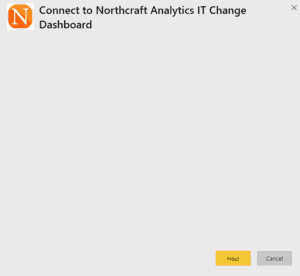
- Click Next.
- Ignore the message about parameters and wait for this screen to load:

- Then change the Authentication method to Basic and enter your Northcraft Analytics BIaaS Account user name and password.
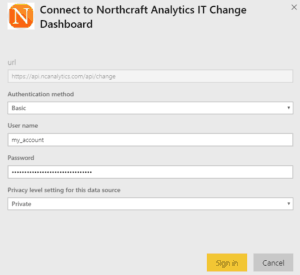
Also, set the appropriate privacy level setting for your data source, then Sign In.
- To use sample data, select the Explore app button under Explore with Sample Data and the dashboard will install with sample data.